2D Mode: Presentation Mode #
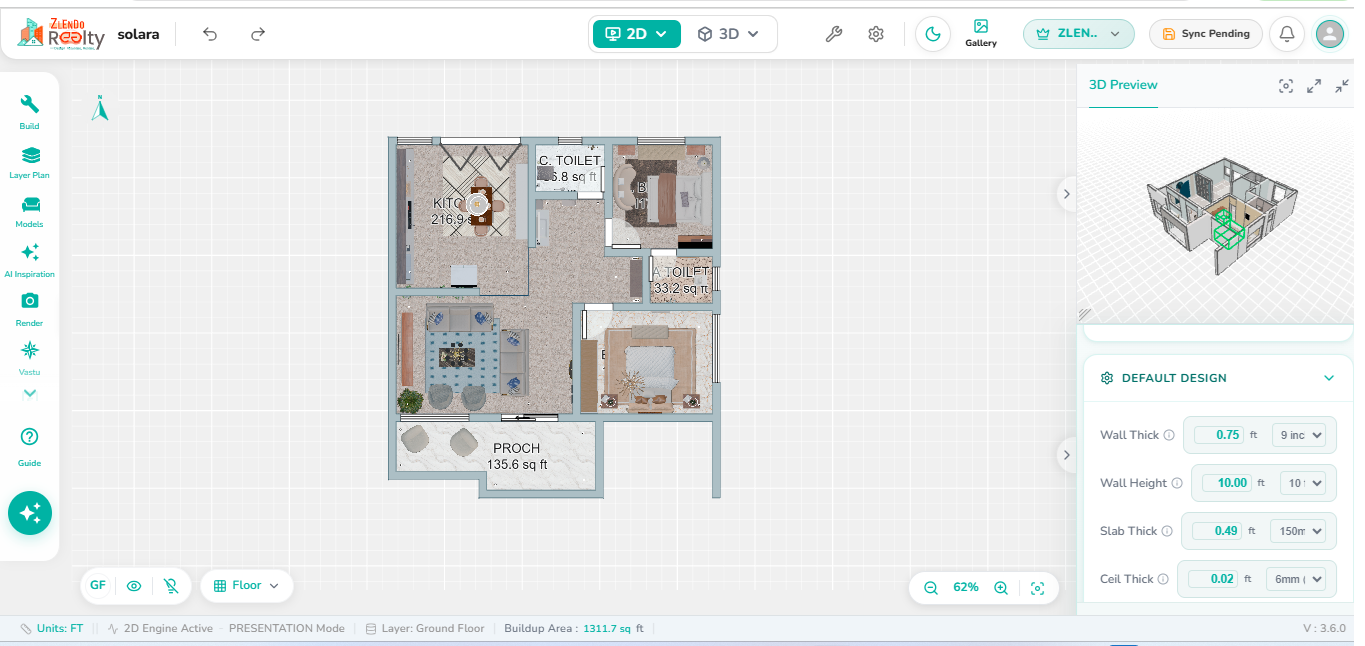
Presentation Mode provides a visually enhanced view of the floor plan by displaying all applied textures, flooring materials, wall finishes, and furniture assets within the design. This mode offers a realistic representation of the project while maintaining the same editing and modification capabilities available in Draw Mode.
Users can select, edit, and modify design elements using the same tools and workflows as Draw Mode. The key difference is that Presentation Mode displays the actual visual appearance of materials, finishes, and placed assets, making it easier to review the overall design, verify material selections, and understand the final look of the space before rendering.


