Zlendo Realty Account for Individual Users #
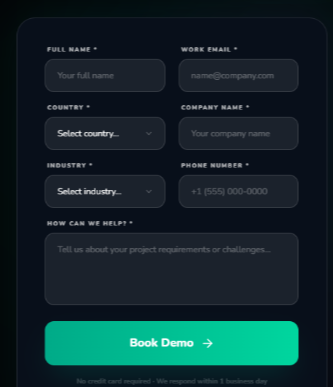
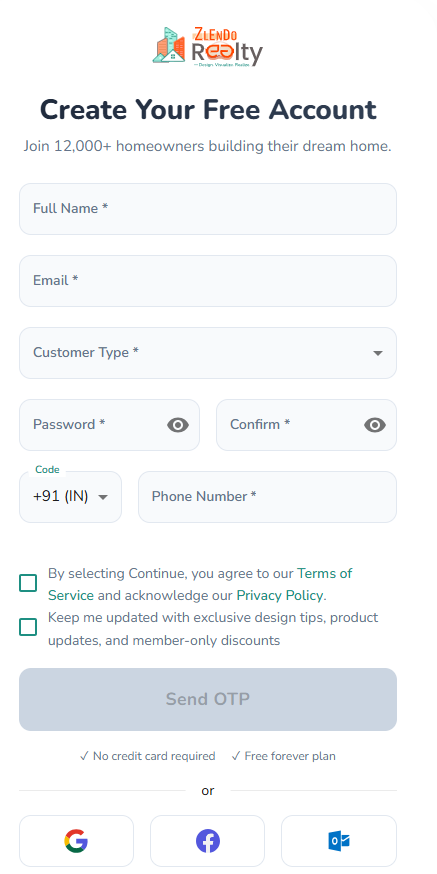
To start a Zlendo Realty account fill out the Account creation / Sign Up form.
Fill out the User details:
Start with your Name and Email address you want to register with (You will receive sign in email here.)
Choose Customer Type from the drop-down list. Select the category that best describes why you want to use Zlendo Realty
(e.g., Homeowner if you want to use Zlendo Realty to visualize your dream home plan.)
In the Password field, type in your password and confirm it.
Your password must have at least:
– one uppercase letter
– one lowercase letter
– one number
– one special character
To view or check the password you have entered and confirmed, click on the eye icon.
For Users in India #
After filling up the User details & Password, Fill out the Phone number you would like to receive the sign up OTP.
Check off the first green box to agree to the Zlendo Realty Terms of Service and Privacy Policy.
Check off the second green box to receive exclusive design tips, product updates, and member-only discounts
Click on the Send OTP button.
You will now receive an OTP on your registered mobile number. Use it to complete the Sign-up process.
For Users Who Live Outside India #
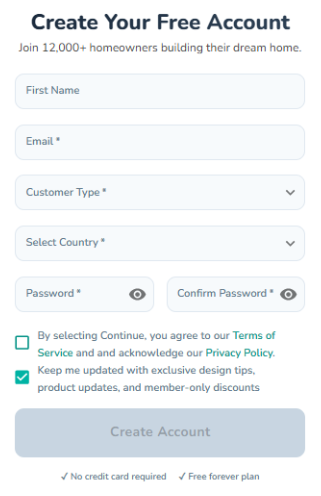
After filling up the User details:
Select your Country of residence from the list, and add your Account Password.
Check off the first green box to agree to the Zlendo Realty Terms of Service and Privacy Policy.
Check off the second green box to receive exclusive design tips, product updates, and member-only discounts
Click on the Create Account button to complete your Sign Up.
After Signing up
Check your registered email for the verification link email from Zlendo Realty.
Click on the email verification link to complete your first-time Sign In to access your new Zlendo Realty Account.
Zlendo Realty Business Account #
For Business Users in India #
The Zlendo Realty Business Account is built for Architecture and construction companies.
Book a Demo and you can experience the Zlendo Realty cutting-edge advantage with an expert-guided tour in real-time.
Enter Personal Details: Fill in your Full Name and Work Email (using a company email address).
Select Location and Industry: Choose your Country and Industry from the respective dropdown menus.
Provide Company Info: Enter your official Company Name.
Provide Contact Info: Enter a valid Phone Number.
Detail Your Needs: In the “How can we help?” text area, describe your specific project requirements, workflow needs, or challenges.
Submit the Request: Click the bright green “Book Demo” button at the bottom of the form.
Note: All fields on this form are required. After submission, a product expert will reach out within 1 business day to schedule a 30-minute personalized walkthrough. No credit card is required.
For Business Users Who Live Outside India #
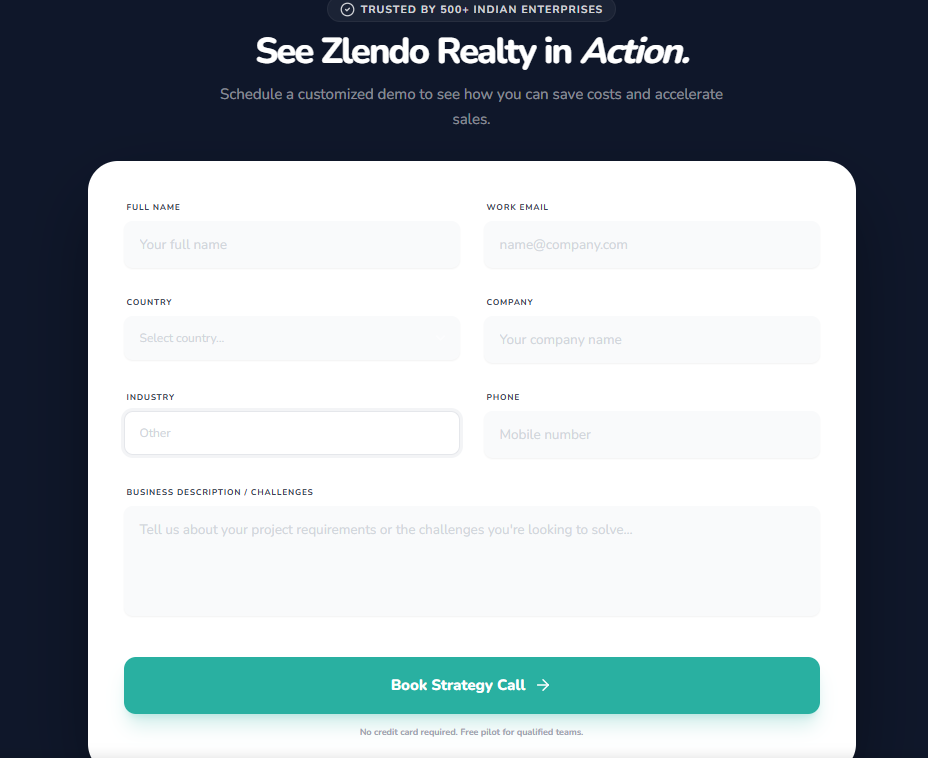
Global Business Users can contact Zlendo for a Realtime experience. Just fill out the Demo request form available on the Zlendo Realty for Business webpage.
Enter Personal Details: Fill in your Full Name and Work Email (using a company email address).
Select Location and Industry: Choose your Country and Industry from the respective dropdown menus.
Provide Company Info: Enter your official Company Name.
Provide Contact Info: Enter a valid Phone Number.
Detail Your Needs: In the “How can we help?” text area, describe your specific project requirements, workflow needs, or challenges.
Submit the Request: Click the bright green “Book Demo” button at the bottom of the form.
Note: All fields on this form are required. After submission, a product expert will reach out within 1 business day to schedule a 30-minute personalized walkthrough. No credit card is required.